
To start trading on Storm Trade, you’ll need to open your first position. Here’s a step-by-step guide to help you do that using @StormTradeBot.
🧭 Step-by-Step Guide
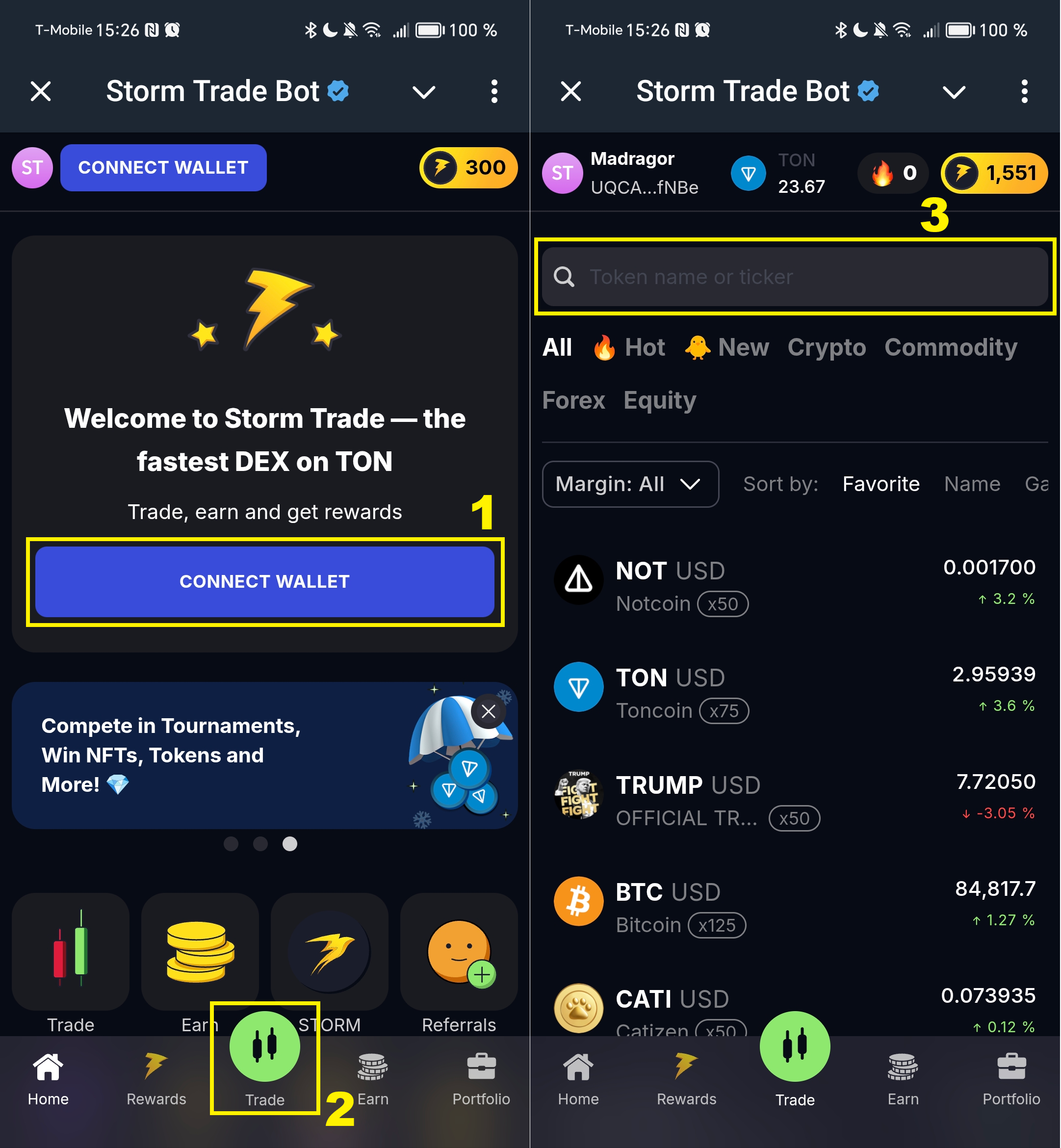
Go to @StormTradeBot and click Start. Then press the Trade button to launch the Storm app.
- 🔗
Connect your walletand make sure it has enough funds:- It’s recommended to have at least 1 TON;
- Only ~0.25 TON is typically needed to cover network fees.
- 📊 Go to the
Tradetab to access the trading interface. - 🔍 Select a trading pair using the search bar or from the available list.
- ↕️ Choose your position direction:
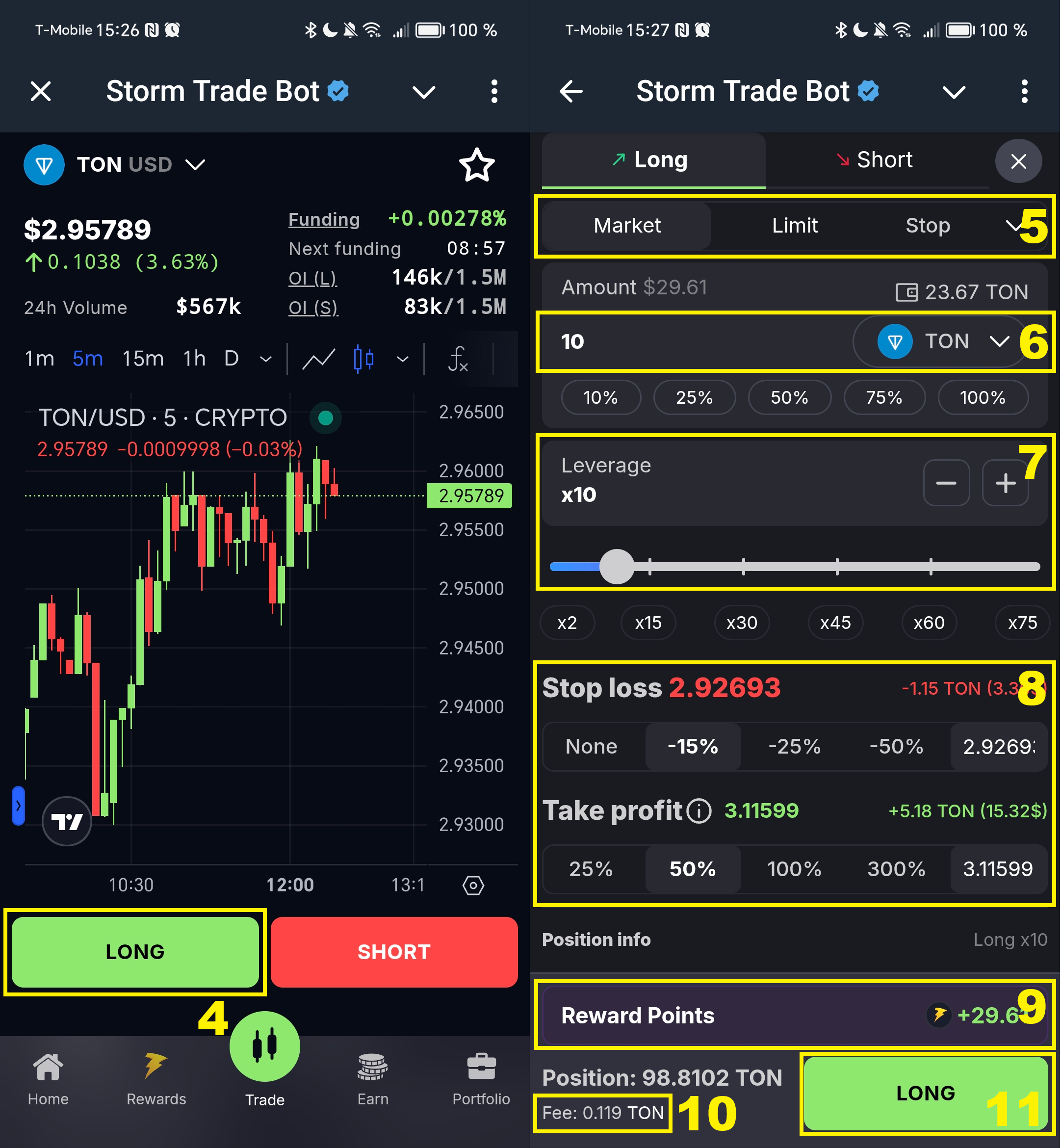
Long— if you expect the price to go up;Short— if you expect it to go down.
- ⚙️ Choose the order type:
- By default,
Market Orderis selected — it opens your position at the current market price. - Learn more in the Order Types section.
- By default,
- 💼 Select the asset you’ll use as collateral (TON, USDT, or NOT), and enter the desired amount.
- 🎚️ Set the
leverage:- Available leverage may vary depending on the trading pair;
- Storm Trade offers leverage from 1x (lower risk, moderate profit) to 500x (higher risk, higher reward).
- 🛡️ Set protective orders:
Stop Loss— automatically closes your position if the loss limit is reached;Take Profit— closes the position at your desired profit level.
- 🏆 Check your Reward Points:
- Earned rewards will be distributed as a drop in STORM tokens;
- Holders of Market Makers NFT can boost reward farming up to 2x by holding 1 to 5 NFTs in their wallet.
- 🧾 Check the fee:
- If you joined via a referral link, your fee will be reduced based on your inviter’s discount tier.
- ✅
Confirm the transactionin your wallet. Once confirmed, your position details will appear on the chart, including entry price, liquidation level, and set orders.
💸 Fees
❗ When opening a position, up to ~0.25 TON will be deducted to cover the network fee. Around 0.17 TON is refunded back to your balance.
🔹 Storm Trade Trading Fees:
- USDT pairs — from 0.06% to 0.12%
- TON/NOT pairs — from 0.12% to 0.2%
🟢 These are among the lowest trading fees in DeFi.
✅ Closing a Position
✊ If a Stop Loss or Take Profit order is triggered, the position is closed automatically — no additional network fee is charged.
✍️ To close a position manually:
- Click Close Position;
- Confirm the transaction;
- Your funds (including any profit or loss) will be returned to your balance.
📌 Ready for Your First Trade?
🏄 Join Storm and start trading on your terms!